
Trip planning spreadsheet or a group trip planner?
A shared Google Sheet and the group chat, or a group trip planner like OohWeGo: what each does better, and when a spreadsheet stops being enough.
3 min readUpdated 30 October 2026
Most group trips start in a shared spreadsheet or Google Doc, with the real decisions happening in the group chat. That works, and for some trips it's all you need. This page is about when it stops working, and what a group trip planner like OohWeGo does differently.
We make OohWeGo, so read this with that in mind.
The short answer
- Stay with a spreadsheet for a short trip where everyone does the same thing, or when you want complete control over how the plan is laid out.
- Use a group trip planner when people split up during the day, when you're still agreeing on dates, when costs need settling, or when people need the plan on their phones while travelling.
- Keep the group chat either way. OohWeGo has no chat of its own: talk where you already talk, and keep the plan in one place.
Side by side
| OohWeGo | A spreadsheet and the group chat | |
|---|---|---|
| Free | Yes, for any group size | Yes |
| Everyone edits at once | Yes | Yes |
| Lay it out however you like | Days, lanes and lists, laid out for you | Yes, any columns you want |
| Days in order, times in each place's time zone | Yes | By hand |
| Who's where when the group splits up | Yes, in lanes that meet back up | Extra columns, by hand |
| Map of the trip | Yes | Not built in |
| Each person's own plan for the day, with when to leave | Yes (My day) | No |
| Agree the dates | A date poll on the trip | In the chat, or a separate poll |
| Split costs and settle up | Built in, in the fewest payments | Formulas you write |
| Reminders for to-dos | Yes, before they're due | Not built in |
| Kids and grandparents on the plan | As guests, without accounts | Yes, as names in the sheet |
Where a spreadsheet is better
- Total flexibility. A sheet takes any shape: a packing grid, a budget with your own formulas, a column per person.
- Nothing new to install. Everyone already has it, and nobody needs to learn an app.
- Your own templates. Copy last year's sheet and change the dates.
Where OohWeGo is better
- A group that splits up. Split into lanes when some of you want different things. Everyone sees who's where and when you meet back up, without a column per person.
- On the trip itself. My day shows each person their own plan on their phone, with when to leave and directions, where a spreadsheet means pinching and scrolling.
- Decisions that don't get lost in the chat. Suggest a few date ranges and let everyone say which work, ask who's coming, and see where the places people suggest fit in the plan.
- Money. Log what anyone pays and OohWeGo works out who owes whom. See Split trip costs and settle up.
- To-dos with someone's name on them. Shared lists give each job to someone, with a due date and a reminder.
Moving from a spreadsheet
There's no spreadsheet import. Most of what a sheet holds is quick to bring across: start a trip, invite everyone with one link, and import the places you've saved in Google Maps. How to plan a group trip walks through the rest.
More guides
All guides- 4 min read
OohWeGo vs Wanderlog for group trips
OohWeGo and Wanderlog compared for planning a trip together: what each does better, what's free, and which to pick. Checked 30 October 2026.
Read the guide - 4 min read
OohWeGo vs TripIt for group trips
OohWeGo and TripIt compared: TripIt organises your bookings and flights, OohWeGo plans what the group does. What each does better. Checked 30 October 2026.
Read the guide 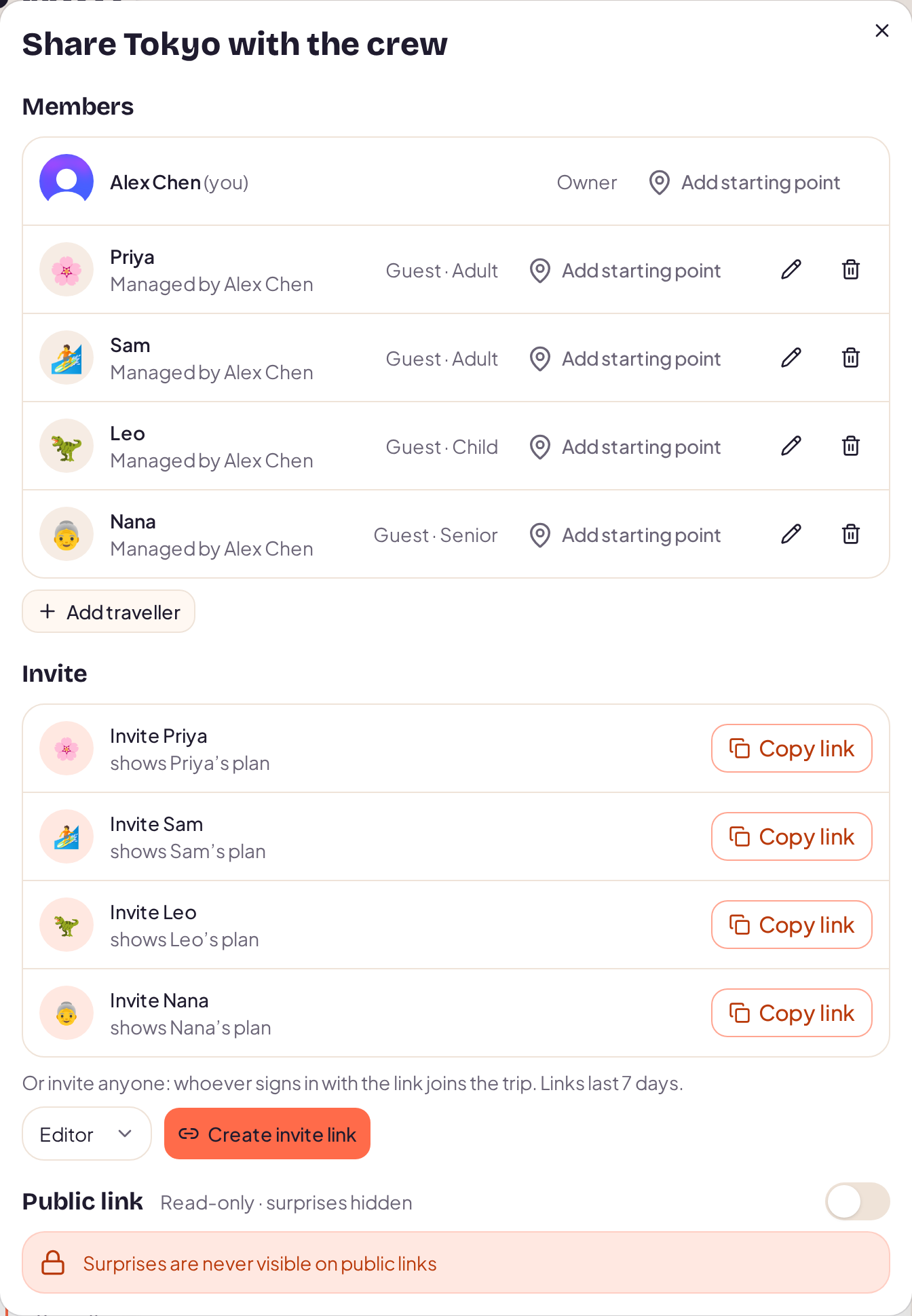 3 min read
Start a trip and invite your group
Make a shared group trip in a couple of minutes, invite friends with one link, and add kids or grandparents as guests without accounts.
Read the guide

Plan your next trip together
Free for any group size.