
Start a trip and invite your group
Make a shared group trip in a couple of minutes, invite friends with one link, and add kids or grandparents as guests without accounts.
3 min readUpdated 21 October 2026
A trip in OohWeGo is one shared plan for everyone going. You make it, send your group a link, and from then on everyone plans in the same place instead of five itineraries in the group chat.
Make the trip
- Sign in and choose Plan a trip (or New trip once you have one).
- Destination: give the trip a name ("Japan with the fam") and where it's headed. A trip can have more than one destination.
- Dates: pick the first and last day. You can leave them for later.
- Travellers: this is where you add the people going (see below). You can come back to it any time from Share.
- Try a split: a quick look at how the group can split up and meet back up. Try it now or skip it.
The trip is made once you've picked its dates, so closing the setup after that keeps it. Its empty plan then offers what to do next: invite people, add your first activity or drop a wishlist pin.
Invite your group with a link
Open Share on the trip, choose what invitees can do, and send the link however your group talks: a group chat, an email, a text.
- Editor: can plan, adding and changing activities, lists and pins.
- Viewer: can see the plan but not change it, and never sees surprises.
Anyone who opens the link signs in (Google works) and taps Join trip. It's free, with no credit card. Opening the link again later just says they're already on the trip.
You can change someone's role from Share at any time, remove them, or make someone else the owner if you're handing the trip over. Revoke a link and it stops working.
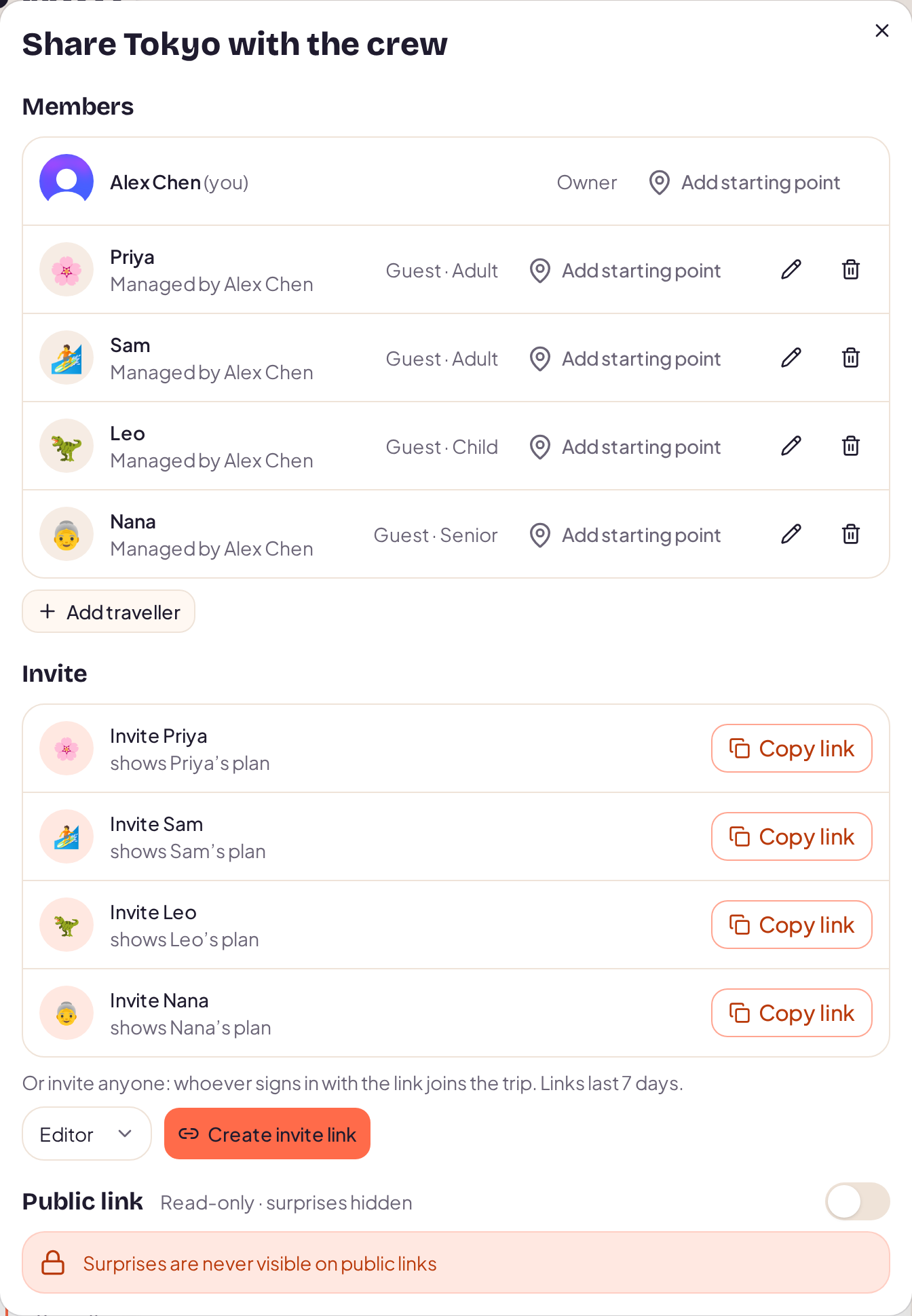
Add guests who don't need an account
Not everyone needs an account. Kids, grandparents, or the friend who'll never download anything can be guests: choose Add traveller in Share and give them a name, an emoji if you like, and an age group (child, adult or senior).
Guests are part of the plan like anyone else. You can put them in lanes, and they show up in everyone's view of who's where. They're managed by whoever added them, who plans for them.
You can plan for someone as a guest before they've joined. Send them their own invite from Share and they take the guest's place when they join, lanes and all. If they joined with the link everyone got instead, choose the link button on the guest's row in Share and pick who they are: everything you planned for the guest becomes theirs.
What's next
- Split into lanes and meet back up when the group wants different things.
- Keep shared lists and packing lists so nobody forgets their passport.
- Plan with Claude or ChatGPT to fill the days for you.
More guides
All guides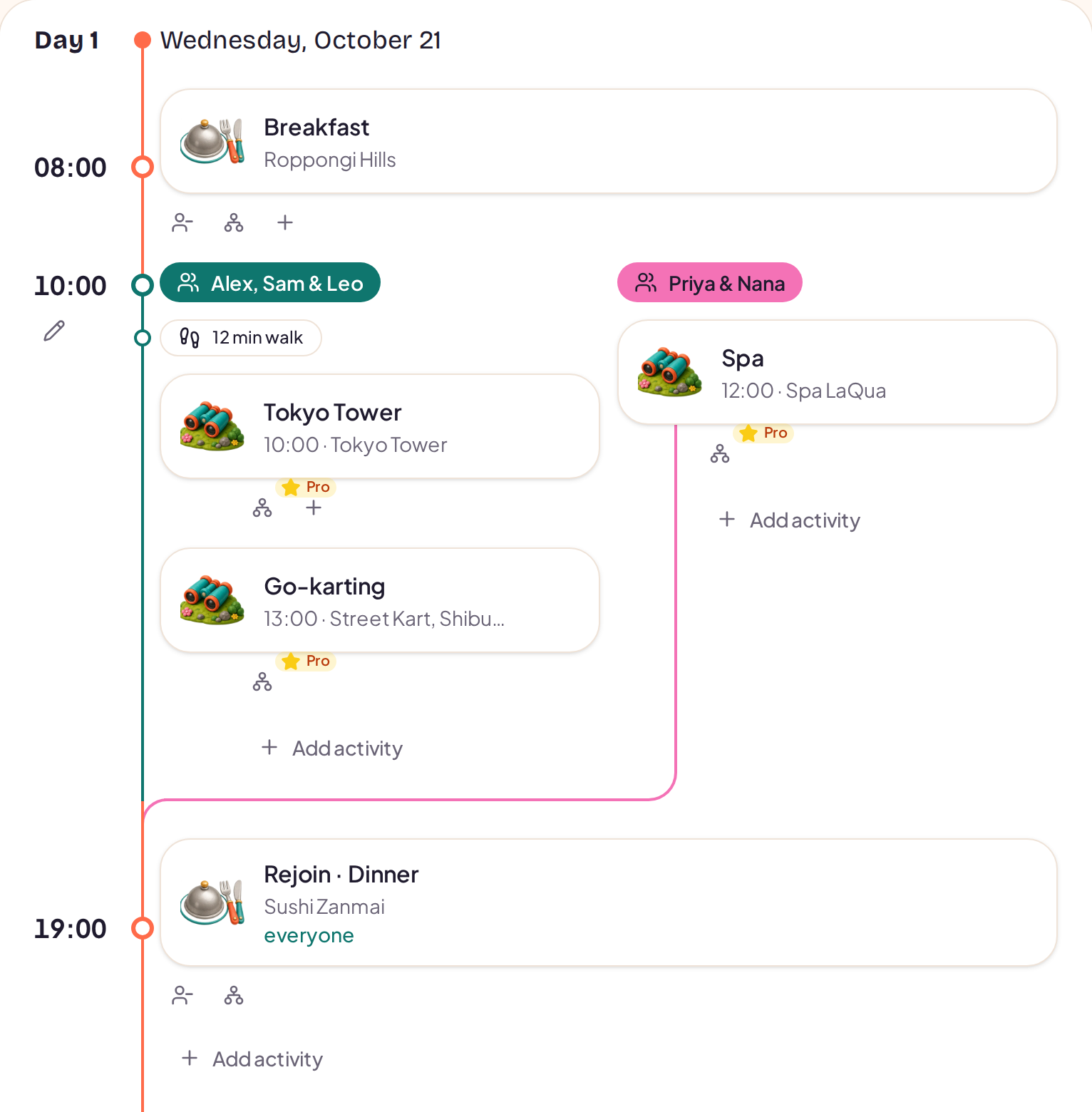 2 min read
Split into lanes and meet back up
Let your group do different things at the same time on one shared itinerary, then show everyone where and when you'll meet back up.
Read the guide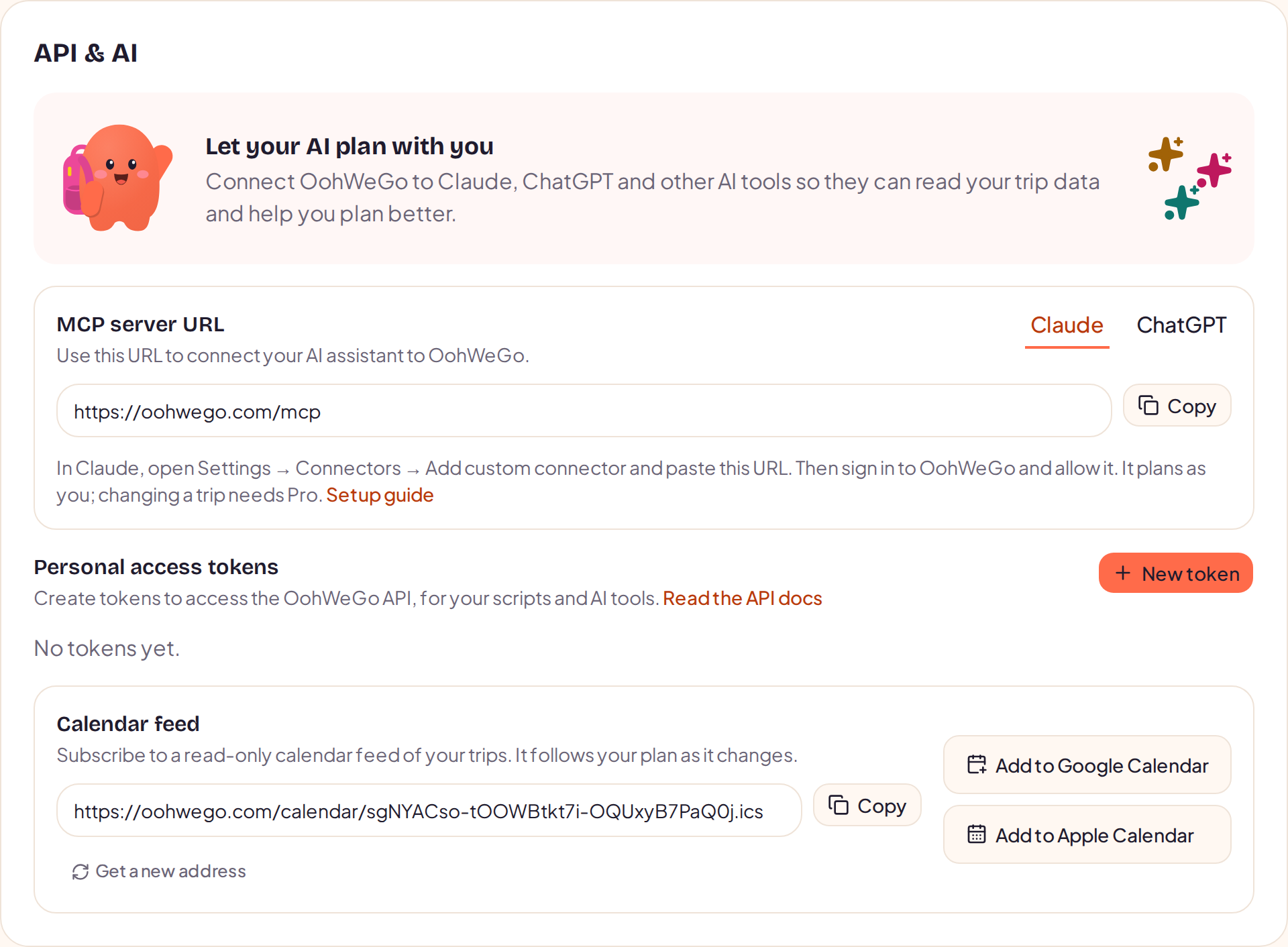 2 min read
Plan your trip with Claude or ChatGPT
Connect OohWeGo to Claude or ChatGPT, and your AI can read your group's trips and plan them with you: find places, fill a day and split the group up.
Read the guide- 3 min read
How to plan a group trip
Plan a group trip without five itineraries in the group chat: one shared plan, room for people to split up, shared lists and costs, step by step.
Read the guide

Plan your next trip together
Free for any group size.