
Print or export your itinerary
Print your group trip itinerary or save it as a PDF, for you, one person or everyone, share a read-only link, or download all your data.
2 min readUpdated 21 October 2026
Sometimes the plan needs to leave the app: a printout for the grandparents, a PDF for the travel folder, or a link for someone who isn't planning.
Print or save a PDF (Pro)
- Open the trip's ⋯ menu (on a phone, More) and choose Print or save PDF.
- Choose whose plan:
- My plan: the shared plan and the lanes you're in.
- Everyone: the whole trip. While the group is split, each lane gets a section of its own, named with its people.
- One person or lane: for example, Nana's plan to hand to her.
- Choose Print. In your browser's print window, print it or pick Save as PDF.
The printout has each day's times, places and addresses, flights and booking references, and the things still to schedule. Surprises print as the person whose plan it is would see them, so Nana's copy shows only the hint for her surprise dinner.
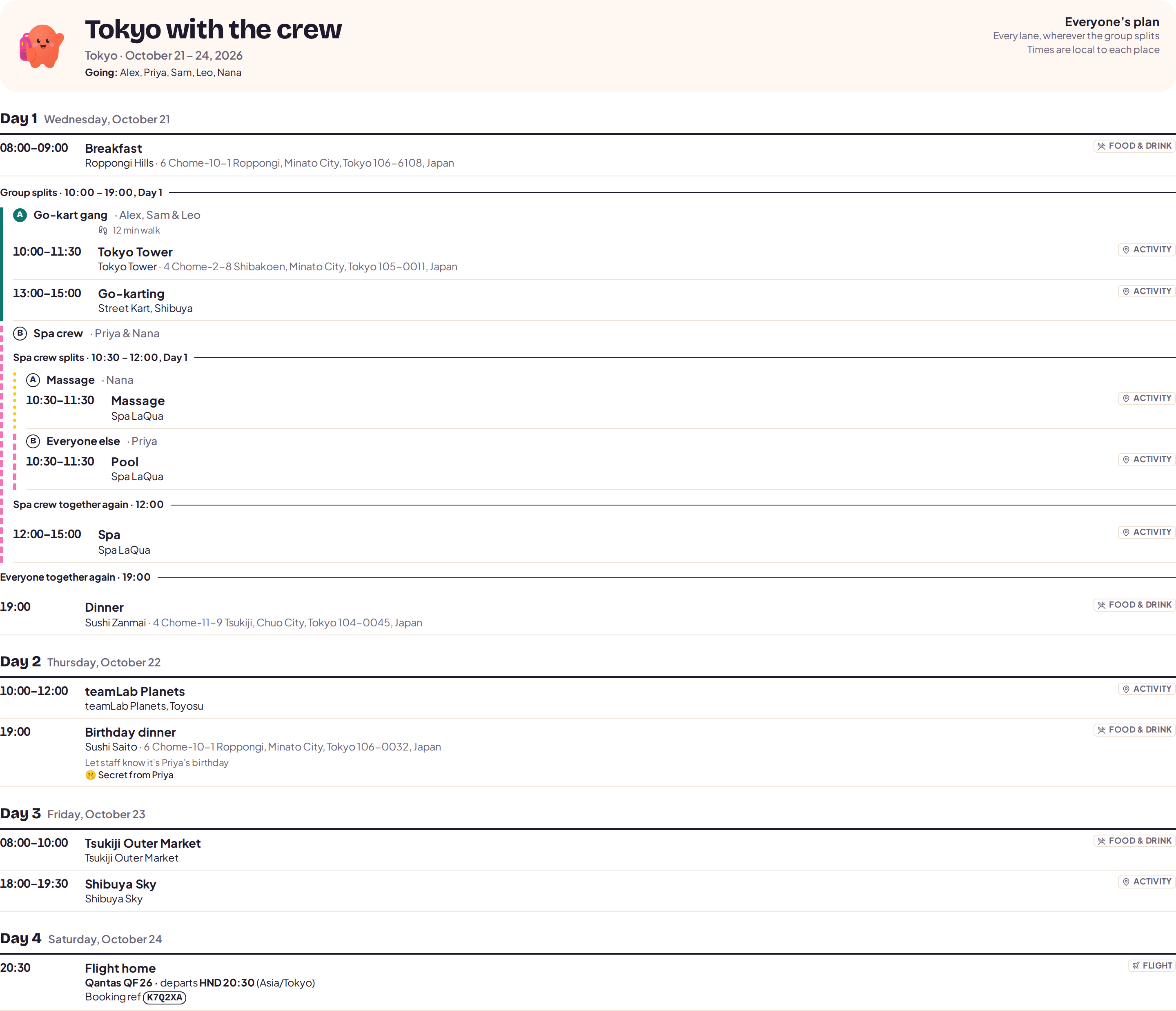
Printing is part of OohWeGo Pro. On a Free trip, the menu shows what Pro unlocks. Only the trip's owner pays, and everyone on the trip gets Pro features.
Share a read-only link
To show the plan to someone who isn't on the trip, open Share and turn on Public link. Anyone with the link sees the trip without signing in, and can't change anything. New link replaces it, so the old one stops working, and you can turn it off at any time. Public links are kept out of search engines.
In your calendar
To keep the plan in Google or Apple Calendar instead, add it as a calendar feed.
Download your data
Settings has Download my data: your account, your trips and your lists as a JSON file, yours to keep or take elsewhere.
More guides
All guides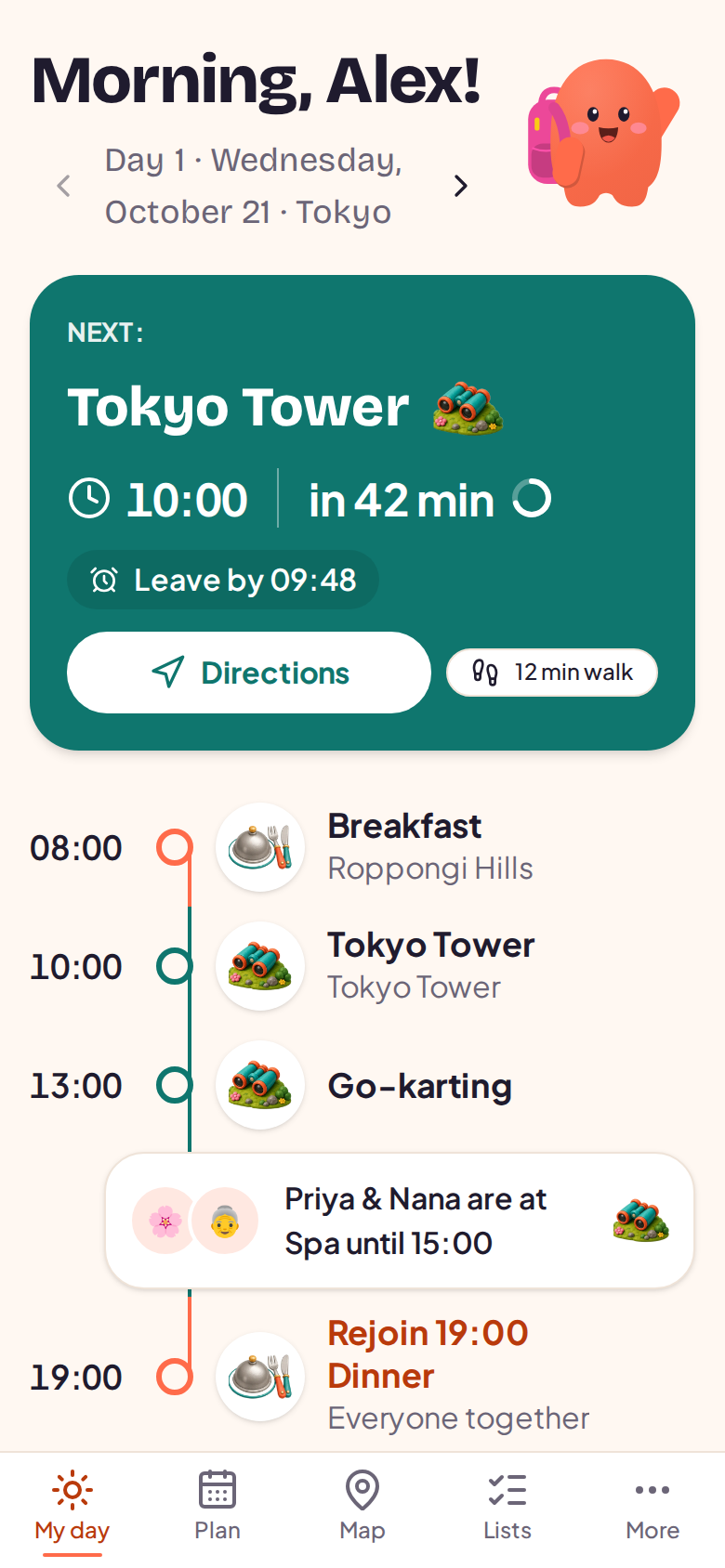 2 min read
My day on your phone
Install OohWeGo on your phone, see just your own plan for the day with when to leave, and get leave-by alerts and notifications on your trip.
Read the guide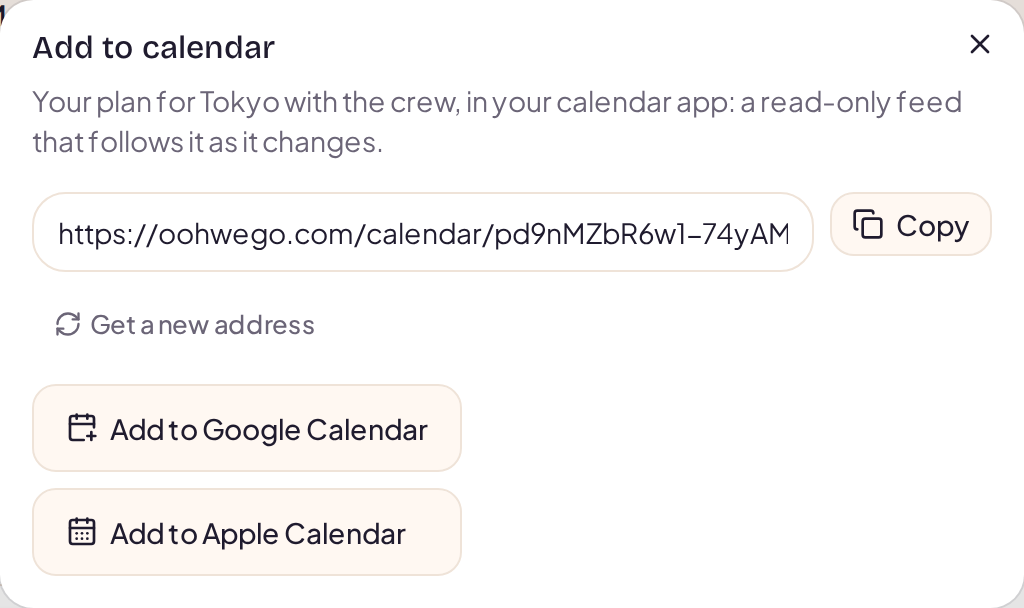 1 min read
Add your trip to Google or Apple Calendar
Subscribe to a calendar feed of your group trip, so your plan shows in Google Calendar or Apple Calendar and stays up to date as it changes.
Read the guide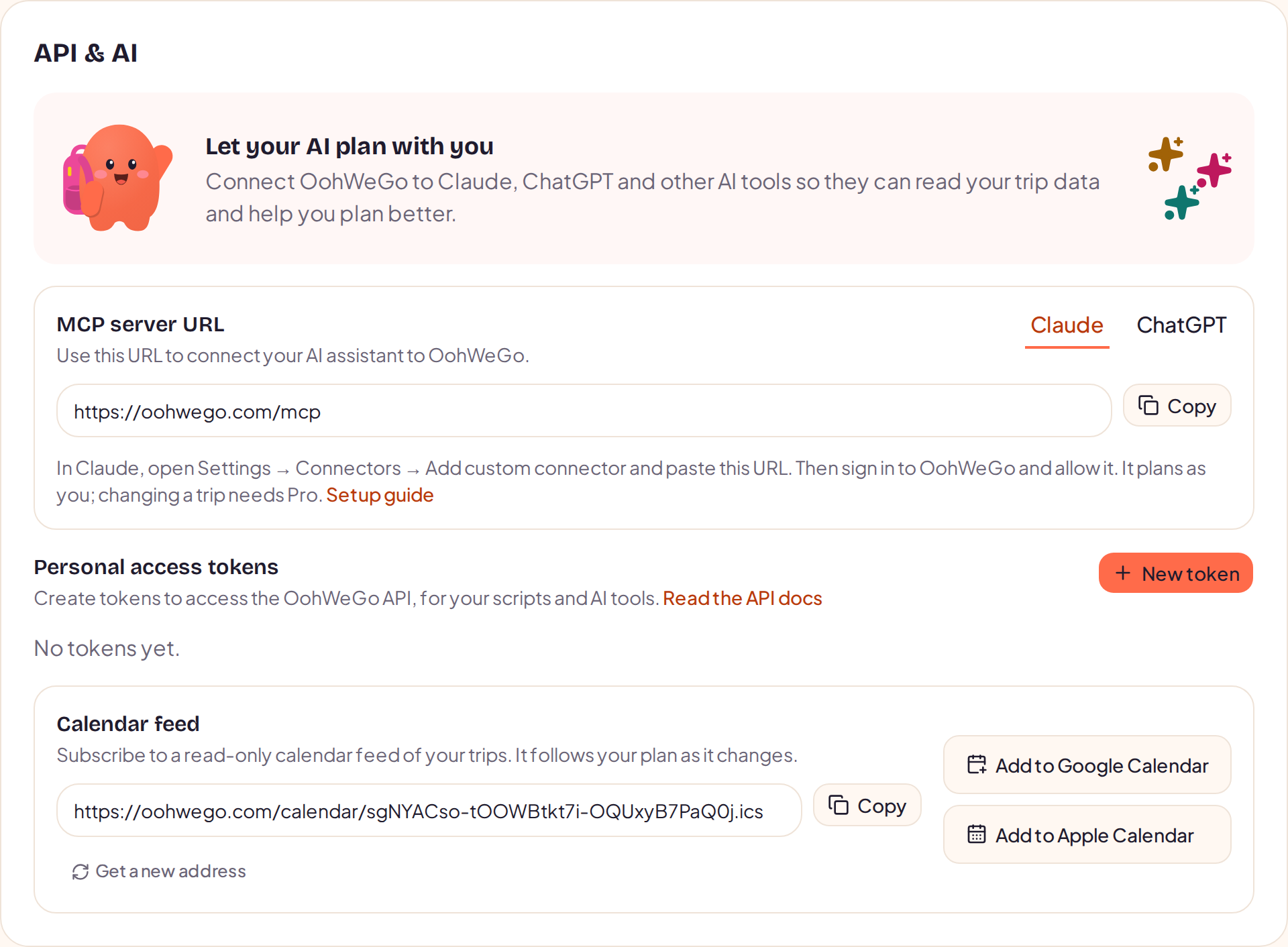 2 min read
Plan your trip with Claude or ChatGPT
Connect OohWeGo to Claude or ChatGPT, and your AI can read your group's trips and plan them with you: find places, fill a day and split the group up.
Read the guide

Plan your next trip together
Free for any group size.